Work with your horizon
Set a minimum altitude and the directions open to you. See visibility windows for targets that meet your session’s constraints.
Explore 596 deep-sky targets and comet data for your location and date. Find what clears your horizon, when it peaks and how far it sits from the Moon.
 Astro Imaging Planner
Browser · Best explored on a larger screen
Join the Android beta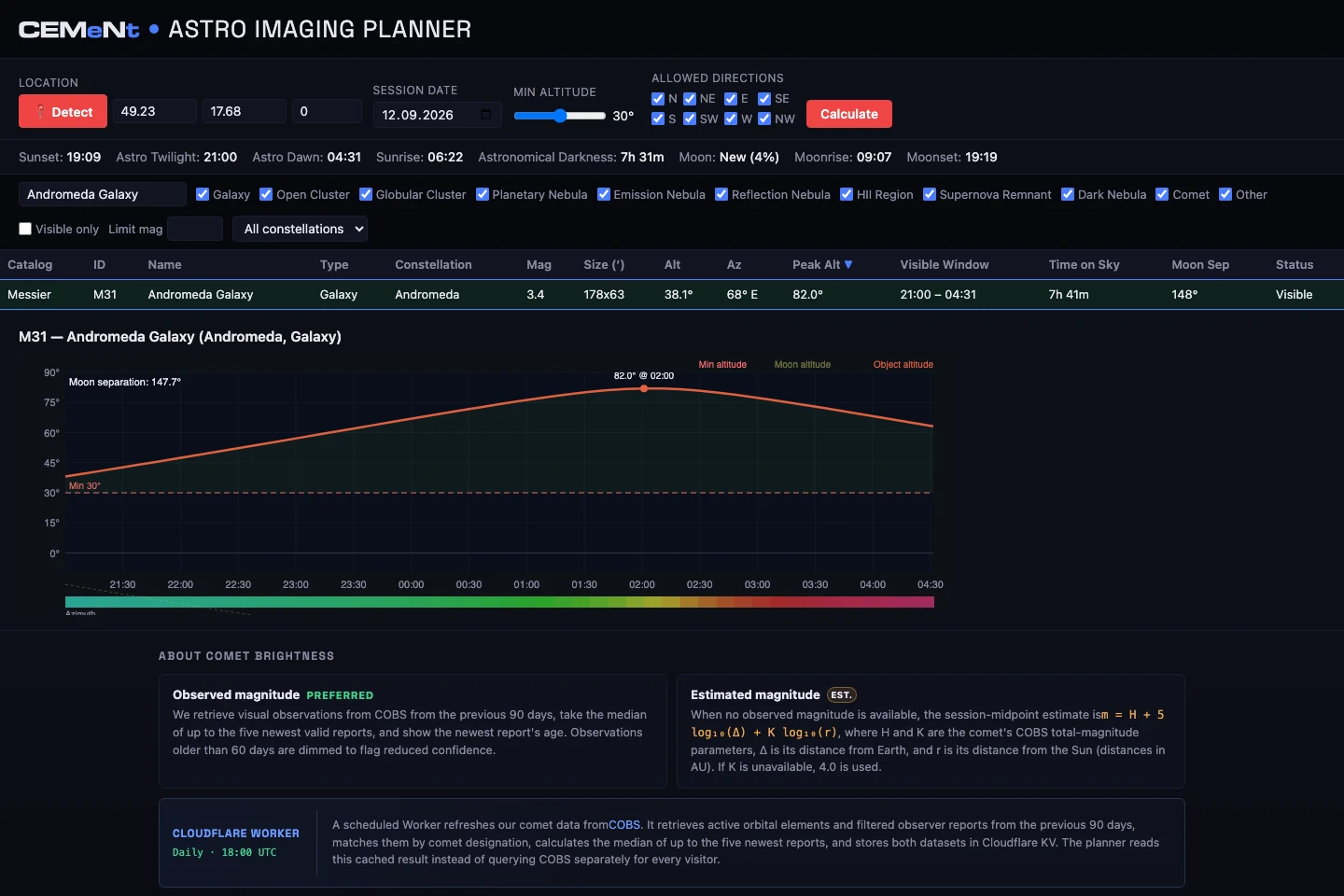
Set a minimum altitude and the directions open to you. See visibility windows for targets that meet your session’s constraints.
Search 596 fixed targets across multiple catalogues. Narrow the list by object type, constellation, magnitude and visibility.
Open a target’s altitude chart to see its path through the night alongside the Moon and your minimum altitude. Comet brightness distinguishes observations from estimates.
An example session for the Andromeda Galaxy shows how target selection and an altitude chart work together.
Open planner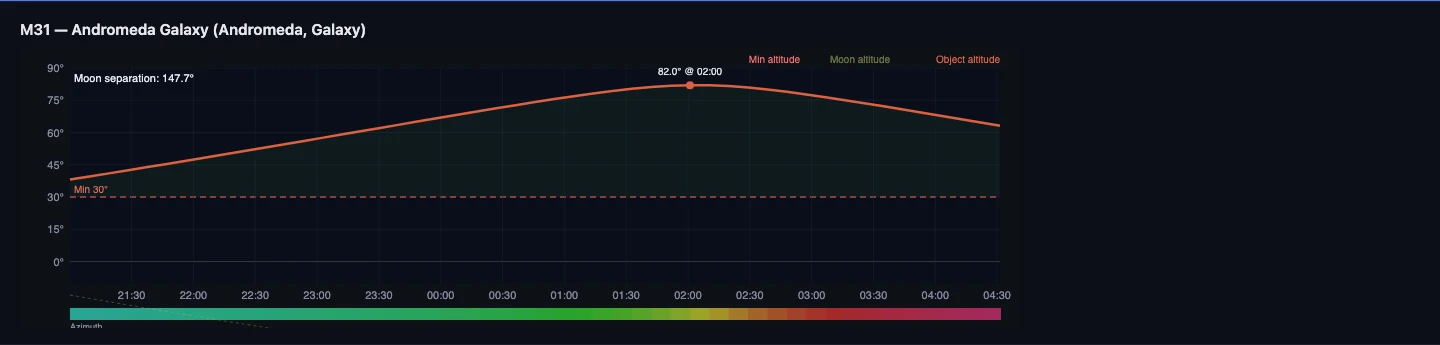
Browser screenshots · Zlín, Czechia · 12 September 2026
Enter your location, observing date, minimum altitude and open directions.
Calculate, then filter the catalogue to the objects that interest you.
Select a target to compare its altitude, peak time and Moon separation.
AstroPanel gives an overview of astronomical conditions, planets and meteor showers. Imaging Planner focuses on individual deep-sky objects and comets, with visibility windows and altitude charts for a selected session.
No. It helps you select targets and observing times. It does not control equipment or automate an imaging sequence.
No. The planner labels brightness estimates and uses recent observer reports when available. Comets can change; review the source and age of a value when making your plan.
A modern browser, your location and an observing date. It is free, requires no account and currently has an English interface. Comet data needs an internet connection. A larger screen makes the detailed table easier to explore.
Developed by Richard Kacerek for CEMeNt.